The definitive guide · 26 min read
How to adopt AI for a small business — the complete 2026 playbook

If you run a small business, you don't have an AI problem — you have a Tuesday-night problem. It's 9:40 pm, the crew went home hours ago, and you're still matching receipts to statements, replying to booking requests, chasing a vendor for a quote, and rewriting the same contract for the fourth time this month. AI, adopted well, gives you those evenings back.
This guide is the playbook we wish every owner had. It covers the tools that actually matter in 2026 — Claude and its connectors to Gmail, Google Drive, Google Calendar and QuickBooks, ChatGPT, Perplexity, Lovable, and Replit — and, more importantly, it maps them to the work that eats your week: bookings, paperwork, contracts, accounting reconciliation, receipts, client and vendor follow-ups, and (for the trades) design and site documentation.
Everything here is drawn from real deployments with real businesses — the same approach behind our client case studies in construction, education, clinics, and property management. Read it top to bottom, or jump straight to the solution-fit calculator to find your best starting point in under a minute.
The problem
Where a small business week actually goes
Before choosing tools, be honest about the shape of the problem. Owners consistently underestimate admin because it arrives in fragments — six minutes confirming an appointment, eleven minutes hunting for a receipt photo, twenty rewriting a proposal. Surveys of small business owners routinely find a full workday or more per week lost to administrative tasks, and the Business Development Bank of Canada has repeatedly linked digital adoption to measurably higher revenue growth for Canadian SMBs. Meanwhile, Statistics Canada data shows AI use among businesses climbing fast — which means your competitors are automating the same tasks you're doing by hand.
Two things changed recently that make 2026 different from the chatbot-novelty years. First, assistants stopped being sealed boxes: through connectors and the MCP standard, they now plug directly into the email, calendars, file storage, and accounting software where your business actually lives. Second, building custom software stopped requiring a development team — describing a tool in plain English and getting a working app is now a normal Tuesday. Together, those shifts move AI from "a thing you chat with" to "a layer that runs through your operations."
The fragments cluster into six buckets, and every one of them is automatable today:
- Bookings & scheduling — phone tag, double-bookings, no-shows, and the daily calendar shuffle.
- Paperwork — quotes, proposals, contracts, permits, insurance forms, and reports written from scratch.
- Bookkeeping — receipts in glove boxes, statements that don't match, month-end reconciliation marathons.
- Outreach — following up on quotes, chasing vendors, requesting reviews, keeping past clients warm.
- Design & estimating — takeoffs, drawing reviews, scope documents, and site documentation for the trades.
- Finding answers — building codes, supplier comparisons, regulation checks, and "how do I…" research.
The rest of this guide works through each bucket. But first: the single most useful tool to adopt, and how to wire it into the systems you already use.
The anchor tool
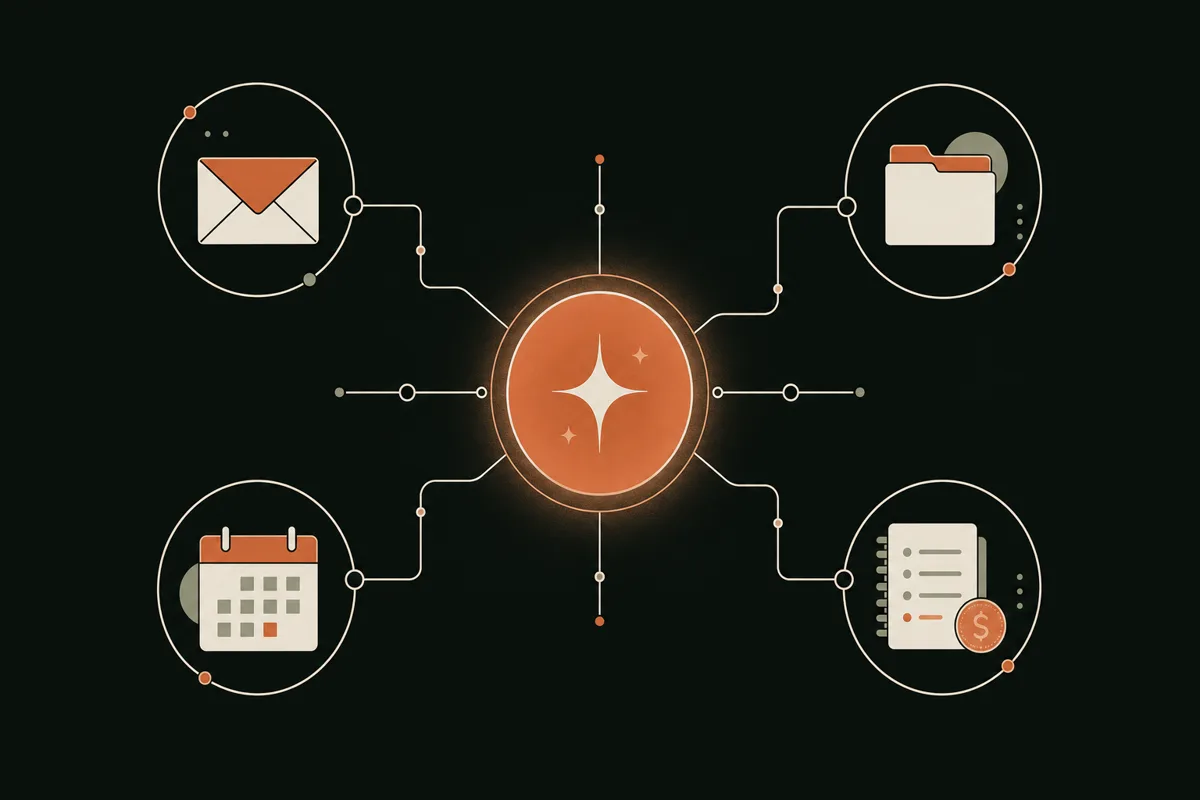
Claude for small business: an assistant that plugs into Gmail, Drive, Calendar and QuickBooks
Claude, made by Anthropic, is the AI assistant we recommend most often to small businesses — not because the model is marginally better or worse than rivals on any given week, but because of connectors: secure integrations that let Claude read and act on the tools your business already runs on.
What connectors actually are
A connector is a controlled bridge between Claude and another app, built on an open standard called the Model Context Protocol (MCP). Instead of copy-pasting emails or exporting spreadsheets into a chat window, you authorize Claude once — using the same OAuth "Sign in with Google" flow you already know — and from then on you can simply ask questions about your own data. Claude only reaches into a connected app when you ask it to, and you can revoke access any time.
Connecting Gmail, Google Calendar and Google Drive
The setup takes about two minutes per app:
- Open Claude (web or desktop) → Settings → Connectors.
- Choose Gmail, Google Calendar, or Google Drive from the directory and click Connect.
- Sign in with your Google account and approve the permissions screen.
- Toggle the connector on inside any chat, and ask away — "find every quote I sent in June that never got a reply."
Once connected, the compound workflows are where the magic lives. Monday morning: "Summarize every client email from the weekend, list the ones that need a reply today, and draft responses in my tone." Before a site visit: "Pull the drawings folder for the Hendersons from Drive and summarize what changed since the last revision." Friday afternoon: "Check my calendar for next week and draft confirmation emails for every appointment."
Connecting QuickBooks
For money workflows, connect QuickBooks Online through Claude's connectors directory, or bridge it via Zapier, which exposes thousands of app actions to Claude. With the books connected, plain-English finance questions become instant: "Which invoices are more than 30 days overdue?" "List June expenses that don't have a receipt attached." "Draft a polite payment reminder for every overdue client." We built exactly this kind of workflow for a construction client — see the Paraffin Constructions bank reconciliation case study — and it turned a multi-hour weekly chore into a review-and-approve task.
Projects: give Claude a memory of your business
Claude's Projects feature lets you load standing context — your price list, service descriptions, boilerplate contract terms, brand voice notes — so every new chat starts already knowing your business. Create one project per recurring job: "Quotes," "Client emails," "Job postings." The quality difference between a generic chatbot answer and a Projects-grounded answer is the difference between a template and a draft you can actually send.
Prompts that work
- “Search my Gmail for every quote I sent in the last 30 days that never got a reply, and draft a short, friendly follow-up for each one in my usual tone.”
- “Look at my Google Calendar for next week and draft a confirmation email for each client appointment, including the address from the original booking thread.”
- “Open the 'Henderson renovation' folder in my Drive and summarize what changed between the two most recent drawing revisions.”
- “From QuickBooks, list every invoice more than 30 days overdue with the amount and client name, then draft a polite payment reminder for each.”
A realistic week with Claude connected
To make this concrete, here's what the rhythm looks like once the connectors are live. Monday, 8:05 am: coffee in hand, one prompt triages the weekend inbox and produces reply drafts — twenty minutes becomes five. Tuesday: a client asks for a revised quote; Claude pulls the original from your sent mail, applies the change, and re-drafts it against your price list. Wednesday: month-end prep — unmatched QuickBooks transactions get flagged while you're on a site visit. Thursday: a vendor's new price sheet lands in Drive; Claude compares it line-by-line against the old one and highlights the increases worth negotiating. Friday: the follow-up ritual — every quiet quote gets a nudge before the weekend. None of these steps is spectacular on its own. Together they're the better part of a working day, every week, returned to you.
Plans and where Claude fits
The free tier is enough to evaluate; the Pro plan (≈ $20 USD/month) unlocks the connectors, Projects, and usage headroom a business needs. For heavier agentic work there are Max and Team tiers. If you're weighing Claude against the growing field of agent products, our comparison of Claude Cowork vs OpenClaw vs Hermes goes deeper on when a full agent is worth it — for most owners, Claude Pro plus three connectors is the right first step.

The wider toolkit
OpenAI, Perplexity, Lovable, Replit — and when each one earns a place
One assistant won't cover everything. Here's the honest read on the other platforms small businesses ask us about, and the specific jobs where each is the right answer.
ChatGPT / OpenAI — the versatile generalist
ChatGPT remains the most widely used assistant, and for good reason: excellent drafting, strong voice input (dictate site notes from the truck and get formatted text back), built-in image generation for quick marketing graphics, and custom GPTs — mini-assistants you configure once ("my proposal writer," "my job-ad writer") and reuse forever. ChatGPT also has its own connector ecosystem and deep-research mode for long reports. If your team already lives in ChatGPT, you don't need to switch; the workflows in this guide translate. Our take: pick one generalist assistant — Claude or ChatGPT — and go deep rather than paying for both on day one.
Perplexity — research with receipts
Perplexity is a search engine rebuilt around AI answers with citations. Where a chatbot can hallucinate a building-code clause, Perplexity shows its sources — which makes it the right tool for "what's the current BC requirement for deck railings?", "compare commercial espresso machines under $8,000", or "what are typical payment terms for drywall subcontractors?" The free tier covers casual use; Pro adds more powerful models and file analysis. Treat it as your research department, not your writer.
Lovable — describe an app, get an app
Lovable turns plain-English descriptions into working web applications — a client intake portal, a booking widget for your niche, an internal dashboard. It shines when your workflow is too specific for off-the-shelf SaaS but too simple to justify hiring developers. Expect to iterate in prompts the way you'd iterate with a contractor: rough framing first, finishes later.
Replit — custom tools with a real engine underneath
Replit pairs an AI agent with a full development and hosting environment, which makes it the strongest choice when your custom tool needs to talk to real systems — like QuickBooks — or grow over time. It's the platform behind several of our builds, including a school event operations portal and the Paraffin reconciliation app. For a head-to-head, read Replit vs Bolt vs Emergent and our wider roundup of the best platforms for custom internal business apps.
Worth knowing about
- Google Workspace with Gemini — AI built into the Gmail and Docs you may already pay for.
- Microsoft Copilot — the equivalent if your business runs on Outlook and Excel.
- Zapier, Make and n8n — the automation glue that moves data between apps when a form is submitted, an invoice is paid, a job is booked.
The five platforms at a glance
| Platform | Best at | Skip it if |
|---|---|---|
| Claude | Working with your Gmail, Drive, Calendar & QuickBooks data via connectors; long documents; consistent drafting from Projects | You want built-in image generation as a priority |
| ChatGPT | Voice capture, custom GPTs, quick marketing images, broad plugin ecosystem | You've already gone deep on Claude — don't pay for both on day one |
| Perplexity | Research with citations: codes, regulations, supplier & price comparisons | You need drafting or data work rather than answers |
| Lovable | Fast, polished internal web apps and client-facing pages from plain English | Your tool must integrate deeply with accounting or legacy systems |
| Replit | Custom tools with real integrations (QuickBooks, databases) that grow over time | You'll never touch anything technical and have no builder to help |

Playbook 01
Bookings & scheduling: kill phone tag, cut no-shows
Scheduling is the best first automation for most service businesses because the payoff is immediate and visible. The pattern has three layers, and you can stop at any of them:
- Layer 1 — a booking link. Calendly or the open-source Cal.com gives clients a page that shows your real availability and books directly into your calendar. Clinics should look at practice-specific systems like Jane. Phone tag disappears the day you put the link in your email signature.
- Layer 2 — automated reminders. SMS and email reminders 48 and 4 hours out routinely cut no-shows by half or more — found money for clinics, salons, and trades doing site visits.
- Layer 3 — an AI layer on top. Claude connected to your calendar drafts confirmations and reschedule replies, batches "can we move Thursday?" emails, and suggests which jobs to slot where based on location notes.
For complex scheduling — events, kitchens, crews, volunteers — a purpose-built portal beats stretching a generic tool. When a Lower Mainland independent school needed event scheduling, check-ins, and kitchen operations in one place, we built a custom operations portal instead of forcing five SaaS tools to cooperate. The lesson generalizes: automate the simple 80% with off-the-shelf tools, and only go custom where your workflow is genuinely yours.
Prompts that work
- “Look at my calendar for the next two weeks and suggest three time blocks I could open for site visits, given the jobs already booked nearby.”
- “Draft a warm reschedule reply to this email, offering the two closest alternatives from my Thursday availability.”
- “Write an SMS reminder sequence for new bookings: one at 48 hours, one at 4 hours — friendly, brief, with a reschedule link.”
One number to watch: your no-show rate before and after. It's the cleanest ROI measurement in this guide, and for appointment-based businesses it often funds every other tool on this page by itself.
Playbook 02
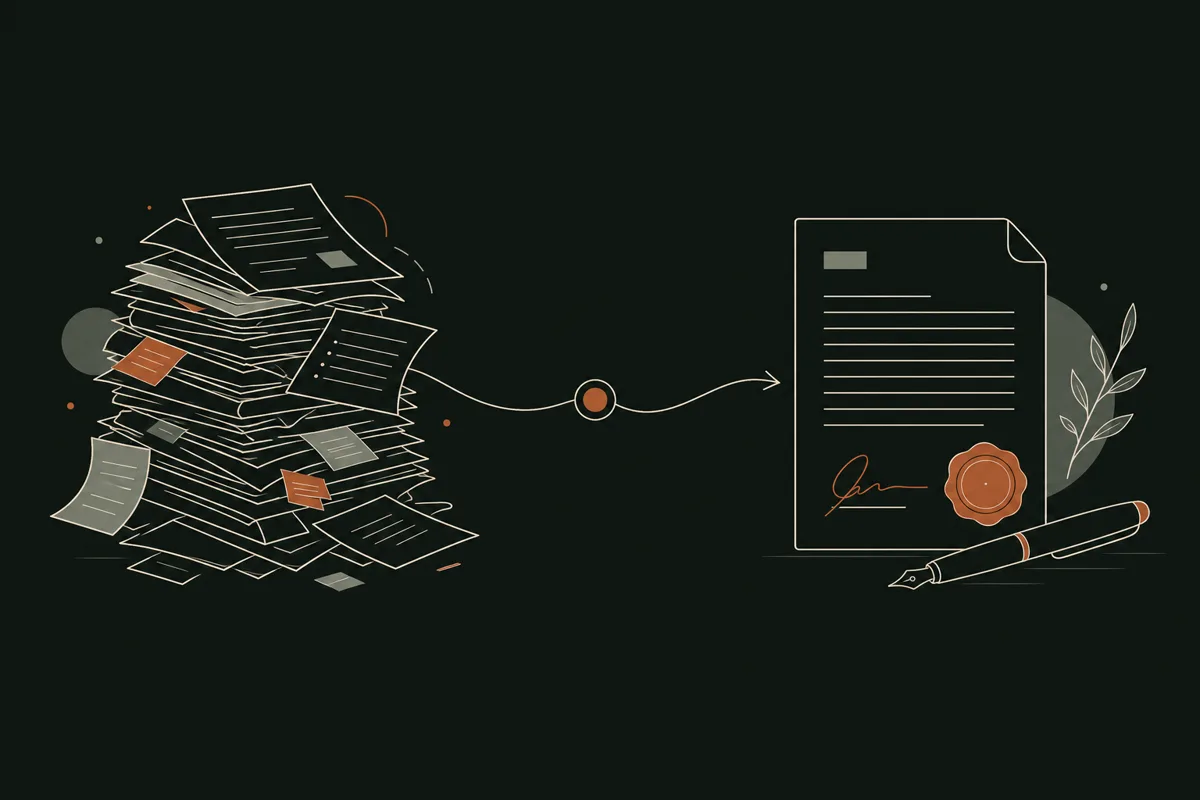
Paperwork, quotes & contracts: from blank page to review-and-send
Writing is where assistants earn their subscription fastest, because the raw material already exists — in your sent folder, your old proposals, your voice memos. The shift to internalize: AI's job is the first draft; yours is judgment.
Quotes and proposals
Record a voice note as you leave the site visit — measurements, materials, gut feel on hours. Ask Claude (in a "Quotes" Project loaded with your price list and past winning quotes) to turn it into a structured quote. What took an evening takes ten minutes of review. The same pattern covers proposals, job-completion reports, warranty letters, and permit cover pages.
Contracts — with a hard caveat
AI is excellent at contract work and dangerous at contract law. Use it to: adapt your standard agreement to a new job, spell out scope-of-work clauses in plain English, and — most valuably — summarize the other side's contract before you sign ("list every clause that shifts risk onto me"). Pair drafts with an e-signature tool like DocuSign so nothing stalls in a print- sign-scan loop. Then have a lawyer review your base templates once a year. The combination — AI for iteration speed, professionals for the foundations — is both cheaper and safer than either alone.
Prompts that work
- “Here's my voice note from today's site visit. Turn it into a quote using my standard format and price list, and flag anything where you had to guess.”
- “Summarize this contract the client sent. List every clause that shifts risk onto me, every deadline I'd be committing to, and anything unusual compared to a standard trade agreement.”
- “Adapt my standard service agreement for a commercial client, net-30 payment terms, with a two-phase scope as described below.”
The recurring-document trick
List every document you produce more than monthly. For each, save your three best past examples into a Claude Project. From then on, generation is "here are the specifics, match the house style." This single habit is the highest-ROI fifteen minutes of setup in this entire guide.
Playbook 03
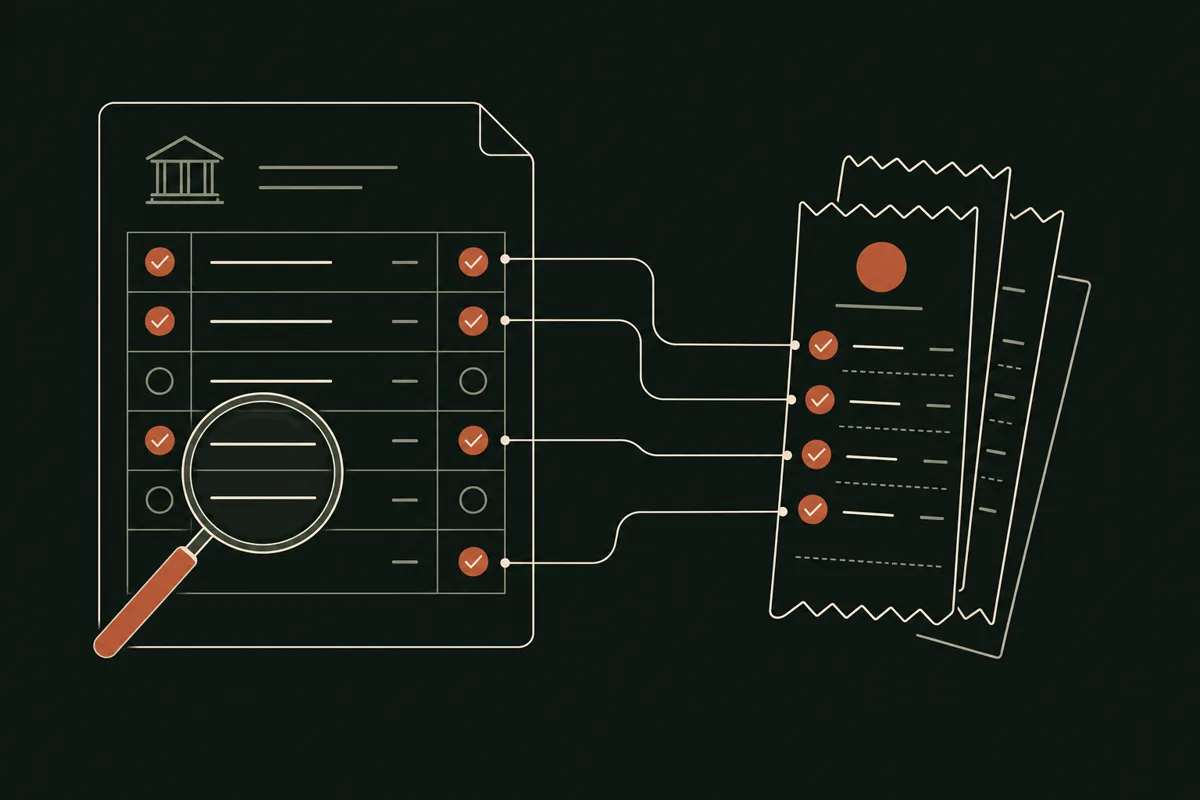
Receipts, statements & reconciliation: the end of the shoebox
Bookkeeping is the most hated admin category and the most automatable. The modern pipeline has four stages:
- Capture. Photograph receipts the moment they exist. QuickBooks mobile reads them with AI; Dext handles higher volume and supplier invoices, extracting vendor, amount, tax and date automatically.
- Code. Bank feeds pull transactions in nightly, and AI suggests the category based on your history — you approve instead of type.
- Reconcile. This is where Claude's QuickBooks connector changes the game: "match these statement lines to open invoices and list what doesn't reconcile" turns the worst afternoon of the month into a fifteen-minute review.
- Review. A human — you or your bookkeeper — approves matches and handles judgment calls. AI does the tedium, not the accountability.
Prompts that work
- “Compare this bank statement PDF against my open invoices in QuickBooks. List the matches, the near-matches with different amounts, and anything on the statement with no invoice at all.”
- “List every June expense in QuickBooks that has no receipt attached, grouped by vendor, so I can hunt them down before my bookkeeper asks.”
- “Draft the month-end summary for my accountant: revenue, top five expense categories versus last month, and any transactions you'd flag as unusual.”
What the statements-and-receipts grind actually costs
Put numbers on it: an owner spending four hours a month reconciling, plus two hours hunting receipts, plus the year-end scramble when the accountant finds gaps, is burning 70–90 hours a year on work AI does in minutes. At even a modest value per hour, that's thousands of dollars — before counting the late fees avoided, the missed deductions recovered from properly captured receipts, and the very real cost of invoicing later because the books were behind.
When the flow is unusual enough that off-the-shelf tools fight you, a small custom tool wins. Paraffin Constructions had exactly that problem: multi-account reconciliation against QuickBooks that generic software handled badly at $1,200 a month in licensing. The custom reconciliation app we built on Replit with Claude cut that to $12 a month — a 99% reduction — and fits their process exactly. Month-end closes faster, and the audit trail is cleaner than the SaaS it replaced.
Playbook 04
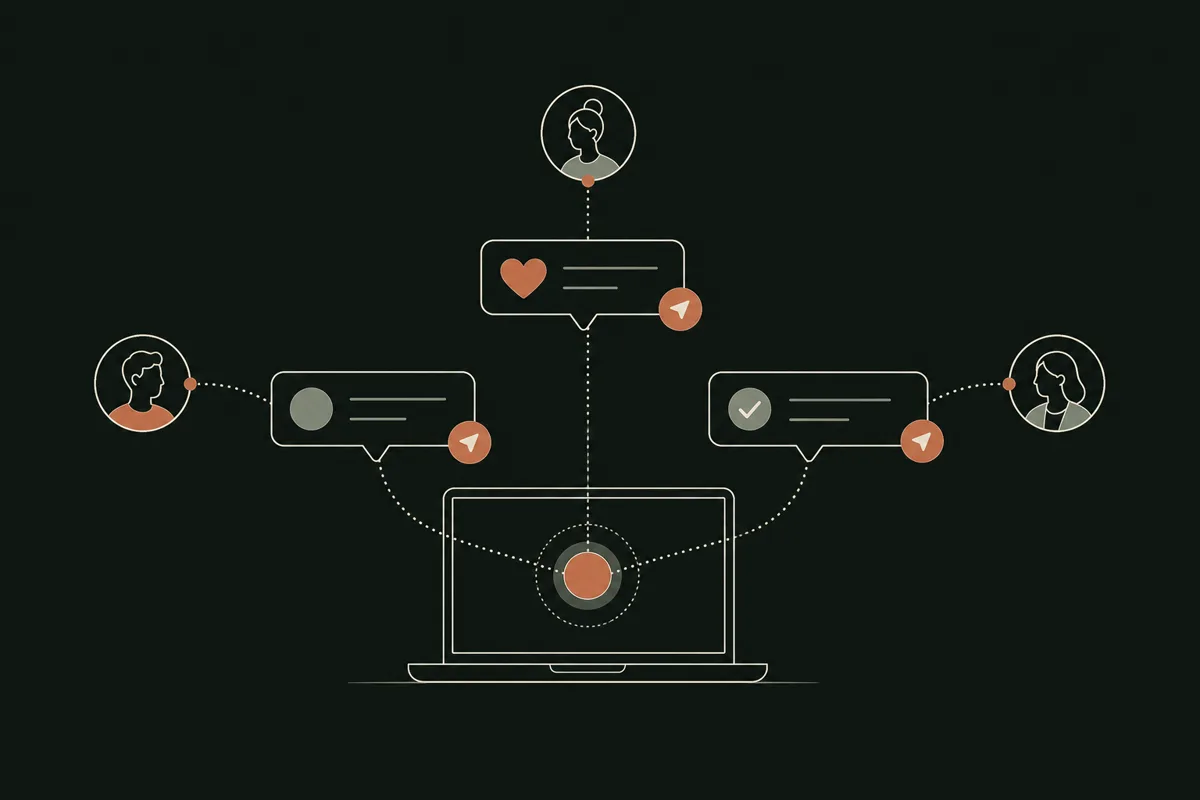
Client & vendor outreach: follow-ups that never slip
Unsent follow-ups are invisible lost revenue. Every quote without a nudge, every past client who never heard from you again, every vendor RFQ you meant to send to three suppliers but only sent to one — none of it shows up in your books as a cost, and all of it is.
The weekly follow-up ritual
With the Gmail connector on, this becomes one Friday prompt: "Find every quote or proposal I've sent in the last 30 days with no reply, and draft a short, friendly follow-up for each in my voice." Ten drafts appear; you edit two, send all ten, and the pipeline warms itself. Add a lightweight CRM — or even a shared sheet Claude can read from Drive — and no lead falls through the cracks again.
Vendors are outreach too
The same machinery works upstream: drafting RFQs to multiple suppliers at once, chasing late deliveries with firm-but-polite escalations, summarizing a vendor's price-change email against what you paid last quarter. Owners consistently underestimate this half — being a fast, organized counterparty gets you better pricing and priority treatment.
Prompts that work
- “Draft an RFQ for 40 sheets of 5/8 drywall plus delivery to North Vancouver, and adapt it for these three suppliers with a requested response date of Friday.”
- “This client went quiet after my proposal three weeks ago. Draft a follow-up that adds one new piece of value — a relevant idea or option — rather than just 'checking in.'”
- “Write a seasonal check-in email to past clients from my landscaping list: friendly, one clear offer, no more than 120 words.”
Reviews and reactivation
Two sequences to automate with Zapier or your booking tool: a review request that goes out when a job closes (drafted by AI, personalized with the job's specifics), and a seasonal reactivation note to past clients ("it's been a year since your furnace service"). Both run themselves; both compound. And if you're driving new traffic too, our SEO, GEO & AEO refinement guide covers how to make your website visible to both Google and AI assistants.

Playbook 05
Construction design & site docs: drawings, takeoffs and permits
The trades carry a double admin burden: everything every business deals with, plus drawings, specs, takeoffs, permits, and site documentation. AI has quietly gotten very good at exactly this kind of visual-plus-document work.
Reading plans and specs
Claude's vision handles PDFs of drawings and spec books: "Summarize the mechanical requirements on these plans." "What changed between revision B and revision C?" "List every item on this spec sheet that affects my electrical scope." It won't replace your professional read of the drawings — it makes sure nothing hides from it.
Estimating and takeoffs
Purpose-built AI estimating tools like Togal.AI (automated takeoffs from plans) and Handoff (estimates for remodelers) are maturing fast. Even without them, the voice-note-to-quote workflow from Playbook 02, grounded in a Project holding your unit costs, gets you most of the way for residential-scale work.
Site documentation and paperwork
Daily logs, RFIs, change orders, safety briefings, permit applications: all follow the pattern of structured documents generated from unstructured input. Photograph the site, dictate what happened, and let the assistant produce the formatted daily report. Change orders deserve special attention — an AI-drafted change order sent the same day, with photos attached, gets approved dramatically faster than one written "when you get to it" a week later.
Prompts that work
- “Here are photos and my dictated notes from today. Produce the daily site log in my standard format: work completed, crew, weather, deliveries, issues, and photos referenced by number.”
- “Draft a change order for the extra blocking the client requested in the master bath, referencing drawing A-301, with cost and schedule impact left as placeholders for me to fill.”
- “Read this spec section and list every submittal I owe before rough-in, with the spec reference for each.”
Design exploration
For early-stage design conversations, AI image tools can turn "modern farmhouse kitchen, white oak, black fixtures" into concept boards that align a client before expensive drafting begins. Concept, not construction documents — stamped drawings still come from professionals — but as a communication tool it collapses the foggiest, most revision-prone phase of a project.
Interactive
Which AI solution fits your business? Find out in 60 seconds
Select the blocks that describe your business, drag the sliders to match your week, and get a concrete recommendation — the tools to start with, the hours you can realistically recover, and what those hours are worth over a year.
Select your industry, your biggest time drain, your comfort level and your match appears here — with an estimate of the hours you could claw back every week.

The plan
Your first 90 days: a roadmap that survives contact with reality
Most small business AI adoption fails the same way: five tools installed in a burst of enthusiasm, none embedded, all abandoned by week six. The fix is sequencing.
Days 1–30: pick one fight
- Track a normal week and write down where the admin hours actually go — or use the calculator on this page as a shortcut.
- Choose ONE workflow with a clear owner and a measurable baseline (hours per week, no-show rate, days-to-invoice).
- Adopt one assistant — Claude Pro or ChatGPT Plus — and connect it to email and calendar. Use it daily, even imperfectly.
Days 31–60: make it stick
- Set up Projects with your price lists, templates, and best past documents so drafts come out in your voice.
- Add the second layer for your chosen workflow: booking page and reminders, receipt capture, or the Friday follow-up ritual.
- Write the two-paragraph playbook so the workflow isn't trapped in one person's head — this is what makes it survive vacations.
Days 61–90: measure, then expand
- Compare against your baseline. If the win is real, take the next workflow from your list; if not, fix or kill it — don't let zombie tools accumulate.
- Add automation glue (Zapier/Make/n8n) for the handoffs you're still doing manually.
- If a workflow is genuinely unique to you, scope a custom tool — our spec-driven prompting guide shows how to brief AI builders so the build takes days, not months.
How to measure without drowning in dashboards
Keep measurement embarrassingly simple: one number per workflow, written down before you start. Hours per week on quoting. No-show percentage. Days from job-done to invoice-sent. Number of quotes that got a follow-up. Re-measure the same number at day 90. If you want a benchmark for what's possible, the case studies in our portfolio publish their before-and-after numbers — that's the standard to hold any tool (or consultant) to.
Ninety days in, you should have one embedded win, a measured number, and a queue. That's what "adopting AI" actually looks like — boring, compounding, and worth more every month.
Budget
What a sensible AI stack costs
Sticker prices as of mid-2026 — always confirm on the vendor's site, plans change often. The headline: a serious starter stack costs less per month than one billable hour.
| Tool | Typical cost | What it buys you |
|---|---|---|
| Claude Pro (Anthropic) | ≈ $20 USD/mo | Assistant + connectors to Gmail, Drive, Calendar, QuickBooks |
| ChatGPT Plus (OpenAI) | ≈ $20 USD/mo | Assistant, custom GPTs, voice, image generation |
| Perplexity Pro | ≈ $20 USD/mo | Cited research; free tier covers casual use |
| Cal.com | Free–$15 USD/mo | Self-serve bookings; open-source option |
| Calendly | Free–$16 USD/mo | Bookings, reminders, routing forms |
| QuickBooks Online | ≈ $30–$110 CAD/mo | Accounting, bank feeds, receipt capture |
| Dext | ≈ $30+ CAD/mo | Receipt & invoice capture at volume |
| Zapier / Make / n8n | Free–$30+ USD/mo | Automation glue between all your apps |
| Lovable / Replit | ≈ $25 USD/mo each | Prompt-to-app platforms for custom tools |
| Custom internal tool (built for you) | One-time build + ≈ $12–$50/mo hosting | Replaces per-seat SaaS entirely |
The often-overlooked line is the last one. A custom internal tool sounds like the expensive option, but when it replaces per-seat SaaS, it's frequently the cheapest — our roundup of custom web app development approaches for small businesses breaks down when the math flips.
Trust
Privacy, security & keeping client data safe
AI tools don't get an exemption from data responsibility. In Canada, PIPEDA governs how businesses handle personal information regardless of what software touches it. The practical rules:
- Check the training defaults. Use plans where your data isn't used for model training — Anthropic and OpenAI business tiers both offer this — and verify the setting rather than assuming it.
- Keep red-line data out of chat. Government IDs, health records, and banking credentials don't belong in any consumer chatbot, full stop.
- Prefer connectors over exports. A scoped, revocable OAuth connection is safer than CSV files of client data floating around laptops and email threads.
- Control access like any system. Separate accounts per person, two-factor on, access revoked when someone leaves.
- Tell clients if it matters. Using AI to draft your emails needs no announcement; processing client personal information through new tools may — when in doubt, disclose.
Anti-patterns
The six mistakes that kill small business AI adoption
- Boiling the ocean. "We're going to AI-transform everything" fails; "we're going to fix quoting by March" works. One workflow, one owner, one measurable number.
- Tool hopping. Switching assistants every time a new model tops a leaderboard resets your accumulated context and habits — the compounding asset is your setup, not the model.
- No baseline. If you don't know it took six hours before, you can't prove it takes one hour now — and unproven wins lose budget and enthusiasm.
- Automating a broken process. AI makes a bad workflow faster at being bad. Fix the process on paper first, then automate the fixed version.
- Skipping the team. Tools imposed top-down get quietly boycotted. Involve the person who owns the workflow in choosing the tool, and give them the win.
- Trusting output blind. AI drafts, humans decide. That division holds for contracts, reconciliations, code citations, and everything else in this guide.
Getting help
DIY, hybrid, or done-for-you: how much help do you actually need?
Everything in this guide is doable yourself — that's deliberate. But time is the one thing you're trying to buy back, so be honest about which lane fits:
- DIY fits if you enjoy tinkering, your workflows are close to standard, and your stakes are forgiving. The assistant + booking link + receipt capture stack needs no outside help — just the 90-day discipline.
- Hybrid fits most businesses: you run the everyday tools, and bring in help for the pieces that touch money, client data, or integrations — connecting QuickBooks properly, designing the automation layer, or hardening a prototype you built on Lovable or Replit.
- Done-for-you fits when the admin load is heavy, the workflow is unusual, and the payback justifies a focused build — the 2–4 week sprint model behind every case study on this site, ending with your team trained and owning the tool outright.
Whichever lane you choose, insist on the same standard: a measured baseline, a measured result, and no ongoing dependence on anyone — including us. Tools you don't own and can't run without a consultant aren't adoption; they're rent.
Answers
Frequently asked questions
What is the best AI tool for a small business to start with?
For most small businesses, a general AI assistant — Claude or ChatGPT — is the highest-leverage first tool because it improves dozens of tasks at once: drafting emails, quotes, contracts, job descriptions, and summaries. Claude's connectors to Gmail, Google Calendar, Google Drive, and QuickBooks make it especially practical because it can work with the data you already have instead of starting from a blank page. Start with one assistant and one workflow, prove the time savings, then expand.
How much does it cost to adopt AI in a small business?
A meaningful starter stack costs roughly $20–$60 CAD per month: an AI assistant subscription (about $20–$30/month for Claude Pro or ChatGPT Plus), a free or low-cost booking tool like Cal.com or Calendly, and the accounting software you probably already pay for, such as QuickBooks Online. Custom internal tools built on platforms like Replit or Lovable typically run $25–$50/month in platform fees after a one-time build. Many businesses spend less on their whole AI stack than on a single per-seat SaaS licence they can now cancel.
How do I connect Claude to Gmail, Google Drive, and QuickBooks?
In Claude, open Settings → Connectors, choose the app (Gmail, Google Calendar, Google Drive, and others in the connectors directory), and authorize access with your Google or Intuit login via OAuth. Once connected, you can ask Claude things like 'find quotes I sent last month with no reply' or 'summarize unpaid invoices from QuickBooks.' QuickBooks connects through Claude's connectors directory or a bridge like Zapier. You can disconnect any connector at any time, and Claude only accesses data when you ask it to.
Can AI really handle my bookkeeping and receipts?
AI handles the tedious 80% extremely well: reading receipts from photos, coding expenses to the right categories, matching bank-statement lines to invoices, and flagging anomalies. Tools like Dext and QuickBooks' built-in receipt capture automate data entry, and an assistant like Claude connected to QuickBooks can answer reconciliation questions in plain English. You still want a human — you or your accountant — reviewing the output, approving matches, and handling judgment calls like tax treatment.
Will AI booking and scheduling tools work for my trade or clinic?
Yes — this is one of the most proven categories. A self-serve booking page (Calendly, Cal.com, or Jane for clinics) eliminates phone tag, and automated SMS/email reminders routinely cut no-shows by half or more. AI adds the layer on top: drafting confirmations and reschedule replies, prioritizing which jobs fit your crew's route, and filling cancelled slots automatically.
Is my business data safe with AI tools?
It can be, if you choose deliberately. Use business-grade plans: Anthropic and OpenAI both offer plans where your data is not used for model training by default, and you should verify that setting on any tool you adopt. Never paste government IDs, health records, or full banking credentials into a consumer chatbot. If you're in Canada, PIPEDA applies to how you handle client personal information regardless of which tool processes it — the same rules as email and spreadsheets, applied to AI.
Do I need a developer to build a custom AI tool for my business?
Not necessarily. Platforms like Replit and Lovable let you describe an internal tool in plain English and get a working web app — businesses have shipped reconciliation dashboards, job trackers, and event portals this way. That said, apps that touch money, client data, or compliance benefit enormously from an experienced builder guiding architecture, testing, and security. A hybrid approach — you prototype, a professional hardens it — is often the sweet spot.
How long does it take to see ROI from AI adoption?
Faster than most owners expect. Simple wins — an assistant drafting your quotes and follow-ups, a booking link, receipt capture — pay back in the first month because they attack hours you're already losing every week. Custom internal tools take a 2–4 week build sprint and typically pay back within a quarter. One Laroma construction client cut software licensing from $1,200/month to $12/month with a custom app built in hours.
Should I use Claude or ChatGPT for my small business?
Both are excellent generalists, and the honest answer is that either will transform your drafting, summarizing, and research. Choose Claude if your priority is working directly with your business data — its connectors to Gmail, Google Drive, Google Calendar, and QuickBooks let it search your inbox, read your documents, and query your books on request. Choose ChatGPT if voice capture, custom GPTs, and built-in image generation matter more to your workflow. The wrong move is paying for both from day one; pick one, embed it for ninety days, then reassess.
What tasks should a small business never delegate fully to AI?
Anything where an error is expensive and hard to reverse: final contract terms, tax filings, regulatory submissions, pricing decisions on large jobs, and any client communication about a dispute. AI should draft and a human should decide. Also keep a person in the loop on financial reconciliation approvals and anything involving employee matters. The reliable pattern across every workflow in this guide is the same: AI compresses the work from hours to minutes, and your review is what makes the output trustworthy.
Start smaller than feels ambitious
The businesses that win with AI in 2026 aren't the ones with the biggest budgets — they're the ones that picked a single stubborn time-sink, wired one good tool into the systems they already use, measured the result, and repeated. Connect Claude to your inbox this week. Put a booking link in your signature. Photograph your receipts. Ninety days from now, the compounding starts to show.
And if you'd rather compress the learning curve: this is literally what we do. We sit with your team, find the highest-ROI automation, build it, and hand it over — see the results in our case studies, from construction reconciliation to school operations to strata maintenance portals.